
Basics
How to set up Discord AutoMod to block spam and bad words
Marcus · builds Fylgra ·
In short
AutoMod is Discord's built-in filter under Server Settings › AutoMod. It blocks your own words, spam and mass mentions before anyone sees them. It never filters members with "Administrator" or "Manage Server", so test with a second account.
Opens “Add modules” with Moderation on your server. You'll sign in with Discord first.
What this is about
Ad links, swear words, messages with 30 mentions: on an open server, it happens sooner or later. Discord has its own filter for this, AutoMod. It runs on every server and blocks matching messages before anyone sees them.
How to do it in Discord
Only people with Manage Server or Administrator can set up AutoMod, and only on a computer or in the browser.
The rule types
Click your server's name at the top left and choose Server Settings › AutoMod. These rules are available:
Block Custom Words: your own list, in any language. You can create up to 6 of these rules.
Block Commonly Flagged Words: three ready-made lists from Discord for insults, sexual content and severe profanity. You can't view them.
Block Suspected Spam Content: Discord's own spam detection.
Block Mention Spam: blocks messages with too many mentions. You set the limit, up to 50.
Block Words in Member Profile Names: anyone with a blocked word in their name can't post until they change it.
The ready-made lists and the spam filter only work in English. For words in other languages, you need your own list.
Create your own word list
Choose Block Custom Words.
Enter the words, up to 1,000 per rule with at most 60 characters each. A * at the start or end also matches parts of words: spam* matches "spamming". Phrases with several words only match when written exactly like that.
Choose what should happen:
Block message: the message doesn't appear. With Edit Custom Message you set what the member reads instead, up to 150 characters.
Send alert: reports the match in a channel of your choice, for example for your team.
Timeout member: up to 4 weeks, only for custom words and mention spam. You need Timeout Members yourself for this.
Under Allow certain roles or channels (optional), exempt up to 20 roles and 50 channels, for example your team or a channel for links. A channel takes its threads with it.
Save the rule.
You set up the other rules the same way.
More protection settings
Under Server Settings › Safety Setup you'll also find DM and Spam Protection and Raid Protection and CAPTCHA.
How to tell it worked
Post a blocked word with your test account. The message doesn't appear, and the account sees Discord's notice. With Send alert, there's an entry in the channel you picked.
Common pitfalls
Nothing happens when you test. You're testing with an account that has Administrator or Manage Server.
Bots aren't checked. AutoMod lets messages from bots on your server through.
Spam across several messages. The spam filter doesn't catch repeats across several messages or spam via friend requests.
Mention spam can't be deleted. On Community servers you can only switch the rule off.
A rule against suspicious links is missing. Some servers see a separate switch for this. If you don't, nothing is wrong.
With Fylgra
The Moderation module builds on AutoMod. If you set a Fylgra rule to Block instantly, Fylgra creates an AutoMod rule for it in Discord, named "Fylgra · …". Discord blocks, and Fylgra then warns, counts steps and keeps the record. The Insults rule comes with a ready-made German and English list. If the module is missing, add it under Modules › Add modules.
You need the Configure moderation permission in Fylgra, and Fylgra needs Manage Server in Discord.
Open Moderation › Rules and click the rule.
Click the pencil next to the Detection section.
Under How to block?, choose Block instantly.
Click Save detection. If the rule is set to On, it then says Active in Discord.
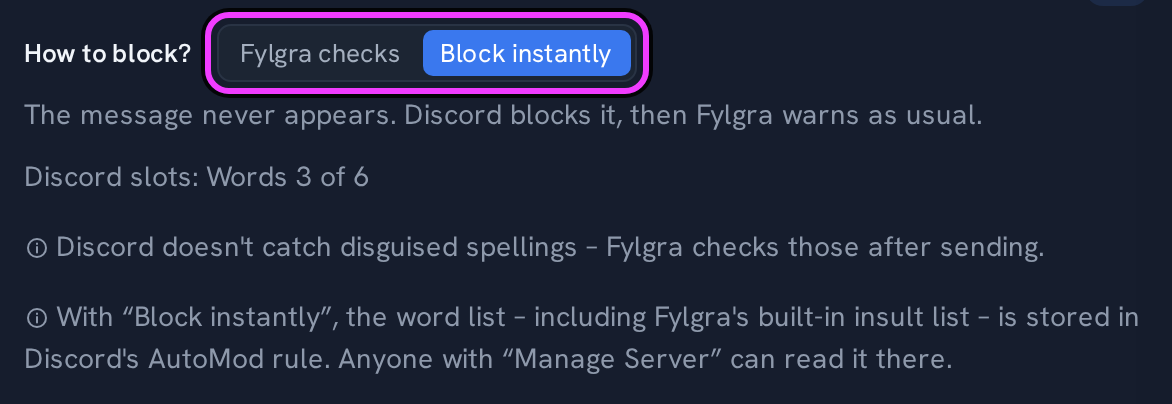
The limits:
Shared slots: Fylgra's rules use the same slots as your own. If you already have 6 custom word rules, there's none left for Fylgra. Who uses which slots is shown under Moderation › Settings › Advanced › Discord AutoMod.
Not everything can be blocked instantly: Fylgra checks ALL CAPS, Emoji and sticker spam, all links except invites and disguised spellings like "1d10t" after sending. The message is visible for a moment.
Message spam: Discord blocks with its own detection. Fylgra checks repeats against your numbers afterwards.
Removing Fylgra: Fylgra's AutoMod rules stay in Discord and keep blocking, but nobody issues warnings any more. Set all rules back to Fylgra checks first.
More in moderation-sofort-blocken and moderation-sofort-blocken-probleme.
Not working?
- Sofort blocken greift nicht: Kein Platz, Personen-Ausnahme und andere Hinweise Troubleshooting · Moderation · German
Still stuck? Write to me – I'll help. Send a report or email fylgra@fylgra.com
Related articles
- Sofort blocken: Nachrichten gar nicht erst anzeigen Guide · Moderation · German
- Moderation: was das Modul macht und wie du dich zurechtfindest Overview · Moderation · German
- Discord moderator permissions without Administrator Discord know-how