
Basics
Create a poll in Discord
Marcus · builds Fylgra ·
In short
In the channel, click the plus sign in the message box and choose Poll. Enter the question, up to ten answers and the duration, then click Post. You need the Create Polls permission.
Opens “Add modules” with Polls on your server. You'll sign in with Discord first.
What this is about
Discord has its own polls. You ask a question, members pick an answer, and Discord counts the votes. You don't need a bot for this.
Polls work in text channels, announcement channels and the text chat of voice channels, as well as in group and direct messages. Discord has no slash command for polls.
How to do it in Discord
The steps apply to Discord on a computer and in the browser.
Create a poll
Open the channel and click the plus sign in the message box.
Choose Poll. Create a Poll opens.
Enter the Question, up to 300 characters.
Enter the answers, up to 55 characters each. Add another answer lets you add up to ten. Each answer can get an emoji.
Pick the Duration: 1 hour, 4 hours, 8 hours, 24 hours, 3 days or 1 week. The default is 24 hours.
If members should be able to pick several answers, turn on Allow Multiple Answers.
Click Post.
Vote and end
Members pick an answer and click Vote. Remove Vote lets them change their choice.
Show results shows the current state, Go back to vote takes you back.
Only the person who created the poll can end it early, with End Poll Now.
At the end, Discord posts a message in the channel naming the winning answer.
How to tell it worked
The poll is in the channel, with "Select one answer" or "Select one or more answers" above the answers. Members can vote right away.
Common pitfalls
"Poll" is missing from the plus menu. You don't have the Create Polls permission, on your role or in this channel.
You made a typo. Check the question and answers before posting. Otherwise delete the message and post the poll again. You can only remove a poll together with its message.
You want anonymous voting. Discord doesn't offer that.
The poll doesn't get posted. AutoMod filters also check the question and answers.
One week isn't enough. The window doesn't allow longer.
With Fylgra
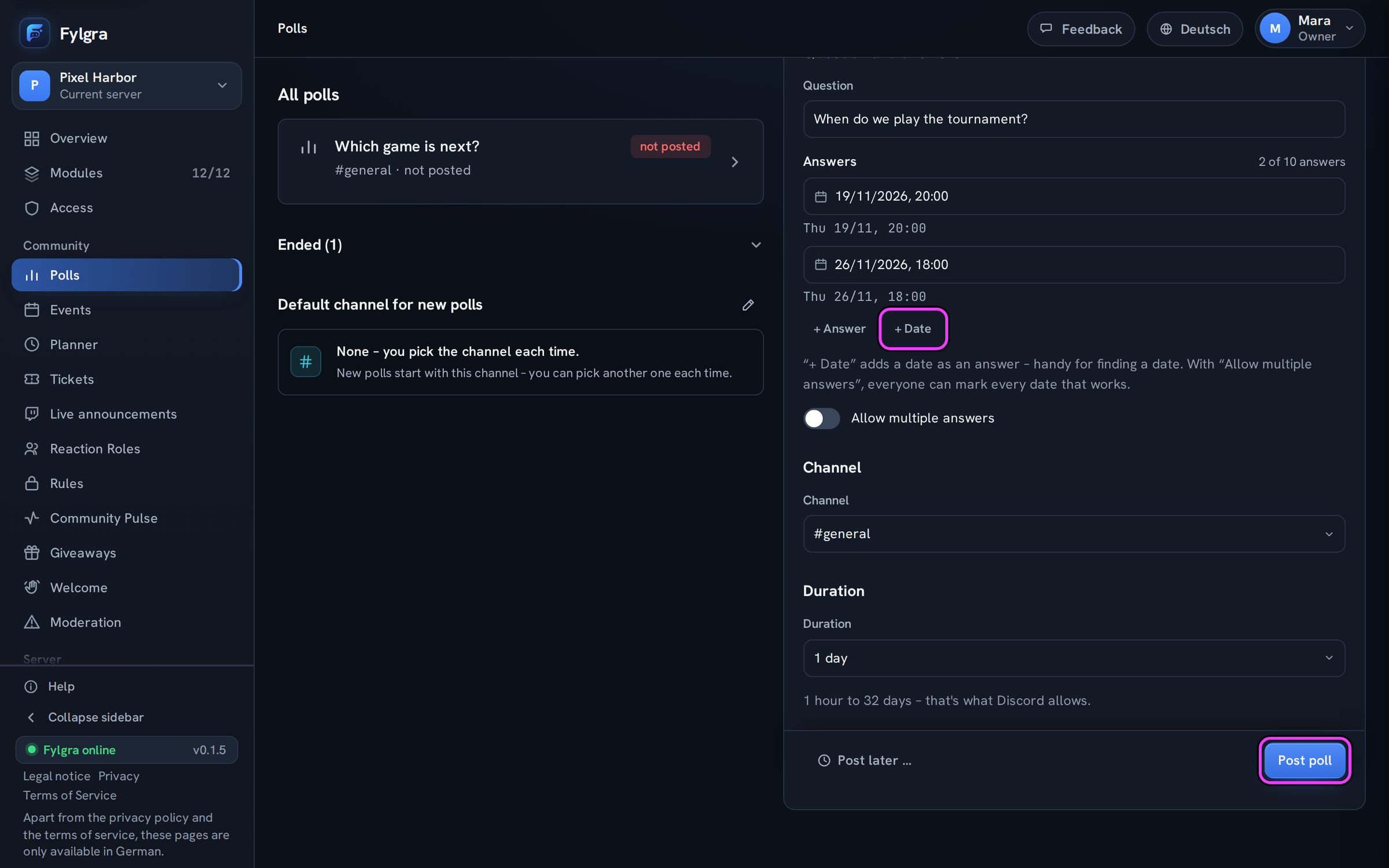
For a quick poll you don't need Fylgra. The Polls module helps when you want more than the window in Discord offers:
Run it longer: Under Duration you can pick up to 2 weeks, with Custom end … up to 32 days.
Find a date: + Date turns a date into an answer.
Post later: Post later … hands the poll to the Planner, if it's added on your server.
End it as a team: Fylgra polls can be closed not only by whoever created them, but also by anyone who has Manage all in Fylgra or Manage Messages in the channel. You do that on the web or with /poll close.
To get started: add the module under Modules › Add modules, open Polls in the sidebar and click New poll. The steps are in umfrage-erstellen, ending a poll in umfrage-vorzeitig-schliessen.
Limits: Voting still happens in Discord. It's still a Discord poll with at most ten answers, not anonymous, and not editable after posting, in Fylgra either. Fylgra's role needs View Channel, Send Messages, Create Polls and Read Message History in the channel. Without the last one, Fylgra shows no result.
Not working?
- Umfrage wurde nicht gepostet Troubleshooting · Polls · German
Still stuck? Write to me – I'll help. Send a report or email fylgra@fylgra.com
Related articles
- Umfrage erstellen Guide · Polls · German
- Umfrage vorzeitig schließen und Ergebnis ansehen Guide · Polls · German
- Beitrag im Voraus planen Guide · Planner · German