
Basics
Discord server stats: how active is your server?
Marcus · builds Fylgra ·
In short
Discord only shows stats on Community servers, in Server Insights. Smaller servers only see part of them, and servers without Community see nothing. The "View Server Insights" permission decides who can see the numbers.
Opens “Add modules” with Community Pulse on your server. You'll sign in with Discord first.
What this is about
How much is going on on your server? Which channels are busy, and do new members stay? Discord has Server Insights for this, but not for every server.
How to do it in Discord
The steps apply to Discord on a computer and in the browser.
Community servers only
Server Insights only exist on Community servers. If you switch the Community features off, they disappear again. A server without Community has no stats at all.
If your server isn't a Community server yet, switch it on in the server settings with Enable Community. You need Administrator for this. Among other things, Discord asks for a rules channel and a channel for Community updates.
Smaller Community servers only see part of the insights. Discord then says your server isn't quite ready for the full Server Insights yet and only shows numbers for the announcement channel and the welcome screen. Discord doesn't say today when the full view starts. A Discord help article from 2020 named more than 500 members.
Open Server Insights
Click your server's name at the top left and choose Server Settings.
Choose Server Insights.
Click Go to Server Insights. The numbers open on a separate Discord web page.
What you'll see there
According to Discord's help from 2020, the insights show where new members come from and how many stay, who writes and in which channels, which countries your members come from, and numbers for announcement channels and the welcome screen. The data goes up to yesterday and 120 days back, and you can download it as a CSV file. Members can opt out in their privacy settings. Details may have changed since then.
Who can see the numbers
The owner and everyone with Administrator can see the insights. To let others see them, give their role View Server Insights under Server Settings › Roles › Permissions.
Common pitfalls
The entry is missing. The server isn't a Community server, or you don't have the permission.
Only announcements and the welcome screen. The server is still too small for the full view.
The insights are suddenly gone. Someone switched the Community features off.
With Fylgra
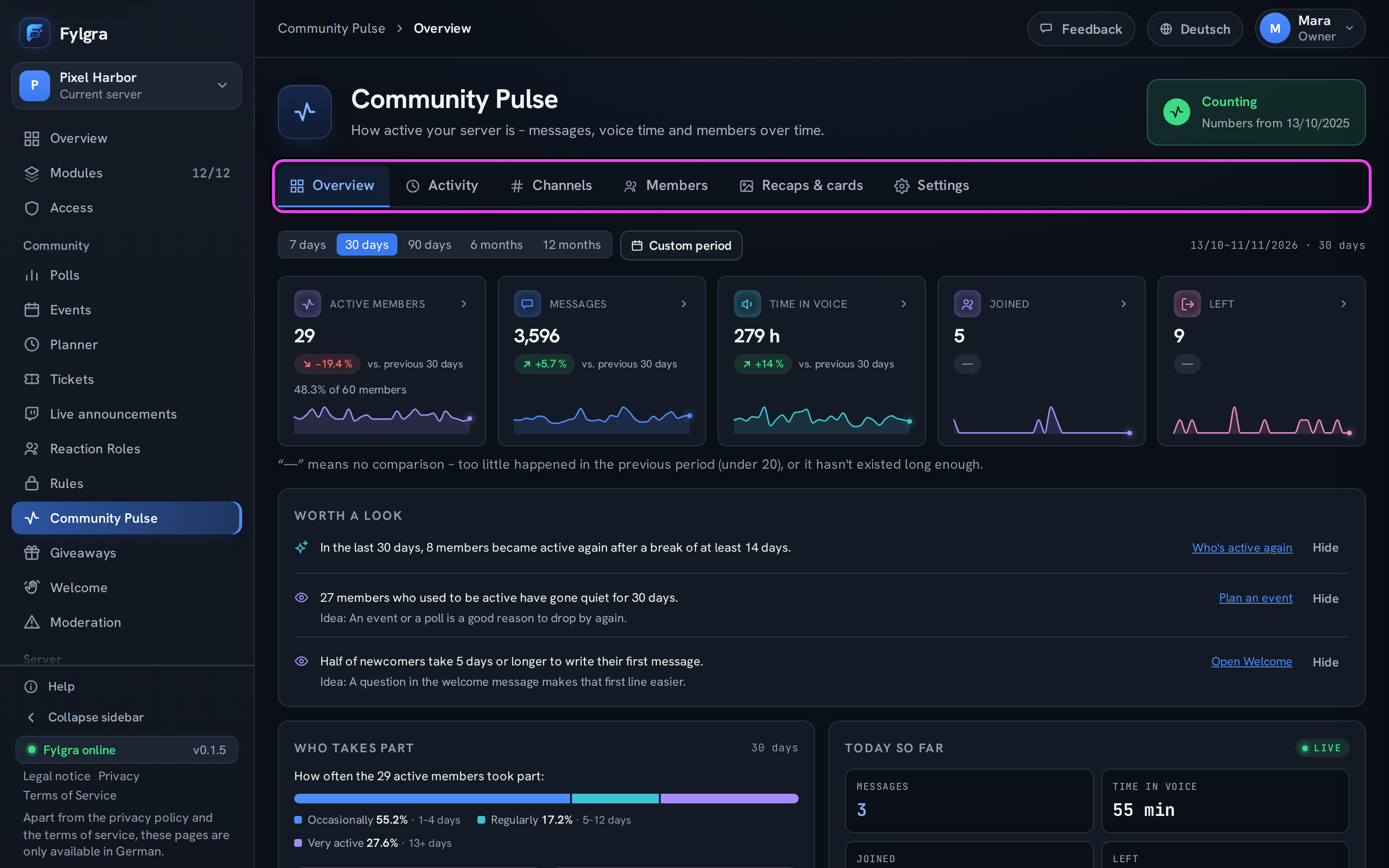
The Community Pulse module counts activity on any server, without Community features and whatever its size. It only counts: Fylgra never stores the content of messages.
What it counts: messages per channel and day, minutes in voice channels, joins and leaves, and how many members are active. Messages from bots and webhooks don't count.
Where you see it: in the Overview, Activity, Channels and Members tabs, for 7 days up to 12 months or a custom period.
Who sees what: The owner and everyone with Administrator or Manage Server see everything. You give others the View permission under Access. Even then, a channel's numbers are only visible to people who can see that channel in Discord. Regular members only see their own numbers in Discord.
Opting out: With /pulse tracking, every member can see whether they're counted and switch counting off. Everything stored about them is deleted.
The limits:
Pulse only knows what has happened since it started measuring. You can load older messages once from the Discord history (Load older numbers), but not voice time, joins or leaves.
It only counts in channels Fylgra is allowed to see.
Pulse doesn't show where new members come from, which countries they're in or what people write about.
Daily numbers appear after the following night. What's happening today is shown under Today so far.
If the module is missing, add it under Modules › Add modules. More in pulse-ueberblick and pulse-zaehlung.
Not working?
Still stuck? Write to me – I'll help. Send a report or email fylgra@fylgra.com
Related articles
- Community Pulse: was das Modul zeigt und wie du dich zurechtfindest Overview · Community Pulse · German
- Was Community Pulse wie zählt Basics · Community Pulse · German
- Für Mitglieder: sehen und ändern, ob deine Aktivität gezählt wird Guide · Community Pulse · German
- Welche Auswertungen von Community Pulse dein Tarif enthält Basics · Community Pulse · German